


You already know the feeling. The crew is booked, overhead is real, and the calls coming in are either tiny repair jobs, price shoppers, or people who disappear after one estimate.
Meanwhile, the homeowner you want, the one planning a serious kitchen remodel, addition, or whole-home renovation, is searching on Google before they ever ask a neighbor. If your profile looks thin, stale, or confusing, you lose that call before your website even gets a chance.
A strong google business profile for contractors works like a sales rep who never sleeps. It shows your work, answers basic questions, builds trust, and gets the right homeowner to contact you.
Table of Contents
- Why Your Google Profile is Your Most Powerful Salesperson
- Getting Your Business on the Map Correctly
- Choosing Categories and Services That Attract Big Jobs
- Building a Project Portfolio with Photos and Posts
- Winning Trust with Reviews and Customer Q&A
- Connecting Your Profile to Your Sales System
Why Your Google Profile is Your Most Powerful Salesperson
A lot of contractors treat their Google profile like a directory listing. Name, phone, maybe a few photos, done. That’s the mistake.
Your profile is usually the first thing a homeowner sees when they search your company name, or when they type in something like “kitchen remodeler near me.” In that moment, Google is comparing you against every other contractor nearby. The profile that looks active, clear, and trustworthy gets the click and often gets the call.
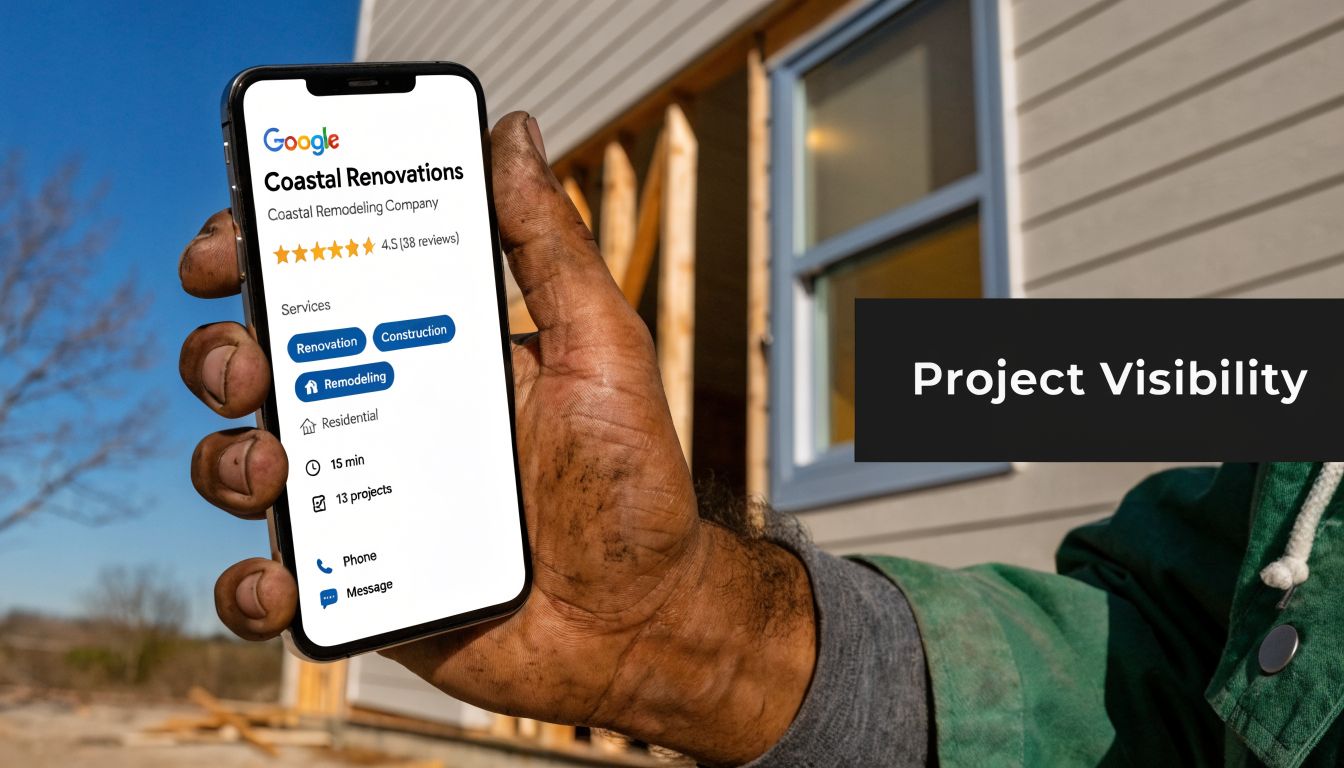
What this profile is really doing
It functions as a jobsite sign, showroom, review board, and intake desk all rolled into one. It tells Google what you do. It tells homeowners whether you look legit. It also tells them whether you work on the kind of homes and projects they care about.
For remodelers chasing larger residential jobs, that matters. According to this remodeling contractor GBP analysis, optimized profiles can produce 15 to 30 qualified remodeling leads per month at zero cost-per-click. The same source says optimized profiles see 200–500% increases in monthly profile views, 150–300% increases in direct phone calls, and that contractors should aim for a 10–15% conversion rate from views to actions like calls, clicks, and direction requests.
That’s not a vanity metric. That’s pipeline.
Practical rule: If your Google profile looks weaker than your trucks, your yard sign, and your website, you’re making it easy for better-presented competitors to win the job.
What homeowners look for fast
Visitors don’t study your profile for ten minutes. They scan it.
They want quick proof that you’re the right fit:
- Clear specialty: Are you a kitchen remodeler, a design-build firm, a bath remodeler, or a catch-all contractor?
- Strong project photos: Can they see the level of finish you deliver?
- Recent activity: Does the business look alive right now?
- Real reviews: Do past clients sound happy, and do you answer them?
- Easy next step: Can they call, click, or message without hunting for it?
Busy owners don’t always have time to rebuild this themselves. If you want a practical outside reference for what a full Google My Business optimization service typically includes, that resource gives a useful overview of how these profiles are cleaned up and managed.
Why this matters for bigger jobs
Homeowners planning a major remodel are not just buying labor. They’re buying confidence. They want to feel like you can handle budget, communication, timelines, and finish quality.
A weak profile attracts more random work because it doesn’t signal specialization. A sharp profile helps pre-sell you before the first call. That means fewer junk leads and better conversations with people who are already leaning your way.
Getting Your Business on the Map Correctly
A lot of contractor profiles lose good jobs before the homeowner even clicks.
The problem usually is not reviews or photos first. It is basic setup. Google needs to trust that your business is real, stable, and tied to one clear identity. If that foundation is sloppy, your profile can rank poorly, trigger verification problems, or get stuck in review right when you need leads coming in.
For remodelers chasing $75K to $300K residential projects, this matters even more. High-end homeowners are already screening for professionalism. Google is doing the same.
Claim it and verify it cleanly
Start with ownership.
Claim the profile under a company-controlled Google account that will stay with the business long term. Do not build your visibility on a former employee’s login, a relative’s Gmail, or an agency account you cannot access without asking permission. I have seen contractors lose months of momentum because they could not get back into their own listing after a staff change.
Use your real business name. Keep it exactly how you present the company publicly. Keyword stuffing might look like a shortcut, but it is one of the fastest ways to create problems with edits, suspensions, and trust.
Google has become stricter about contractor listings. This industry write-up on GBP suspensions in 2025 explains how address rules, suspicious edits, and fake-looking setups can trigger reviews or suspensions.
Clean setup beats clever setup.
Keep your business details identical everywhere
Your Name, Address, and Phone number need to match across your website, Google profile, and major directories.
That sounds basic because it is. It also gets mishandled all the time. A suite number written three different ways, an old call tracking number on one directory, or a stale office address from two years ago can muddy your signals. Google does not know which version to trust, and homeowners notice the inconsistency too.
For a remodeling company, this is not just an SEO chore. It is sales prep. If your profile says one thing, your website says another, and a directory shows something else, the lead starts the relationship with doubt. That is a bad setup for a premium project sale.
One good companion step is tightening up your site so it matches your profile line for line. This guide on how to optimize your remodeling website for local search walks through how to align those local signals.
Where contractors usually get this wrong
The mistakes are predictable.
| Problem | What it looks like | What to do |
|---|---|---|
| Old phone number | A tracking number shows on one directory and your office line shows somewhere else | Choose one public primary number and update every major listing |
| Business name mismatch | “Smith & Sons Remodeling LLC” on one site and “Smith Remodeling” on another | Standardize the business name everywhere |
| Address confusion | Hidden address on Google, visible old office on other directories | Make your service area and location setup match how you actually operate |
| Ownership mess | Profile tied to a past marketer or ex-employee | Transfer primary ownership to the business |
If you serve homeowners at their homes and do not meet clients at your office, set the profile up as a service-area business. If you do meet clients at a showroom or office, make sure that location is staffed during listed hours and set up to receive customers. Trying to force an address into the profile just to rank in a nearby city usually creates bigger problems than it solves.
Set it up like an operating company
A strong profile looks like a real business with real processes behind it.
That means accurate hours, the right service area, a business description that clearly states what you do, and contact info your office answers. It also means restraint. Constant edits, category changes, and random experiments can create instability, especially on contractor listings that already get more scrutiny.
If you run multiple locations, be careful with duplicates and city targeting. One well-built profile tied to the right market usually performs better than several weak profiles that blur together. For larger remodelers, the goal is not to appear everywhere. The goal is to show up in the right places, with the kind of credibility that gets a serious homeowner to call, fill out a form, and enter your CRM as a qualified opportunity.
Choosing Categories and Services That Attract Big Jobs
A homeowner searches “kitchen remodeler near me,” opens three profiles, and starts making cuts in under a minute. If your profile says “General Contractor” and your services list mixes additions with faucet repair and drywall patches, you look like a catch-all shop. Catch-all shops get more small-job calls.
Big-ticket remodelers need a profile that screens for the right work before the first phone call.
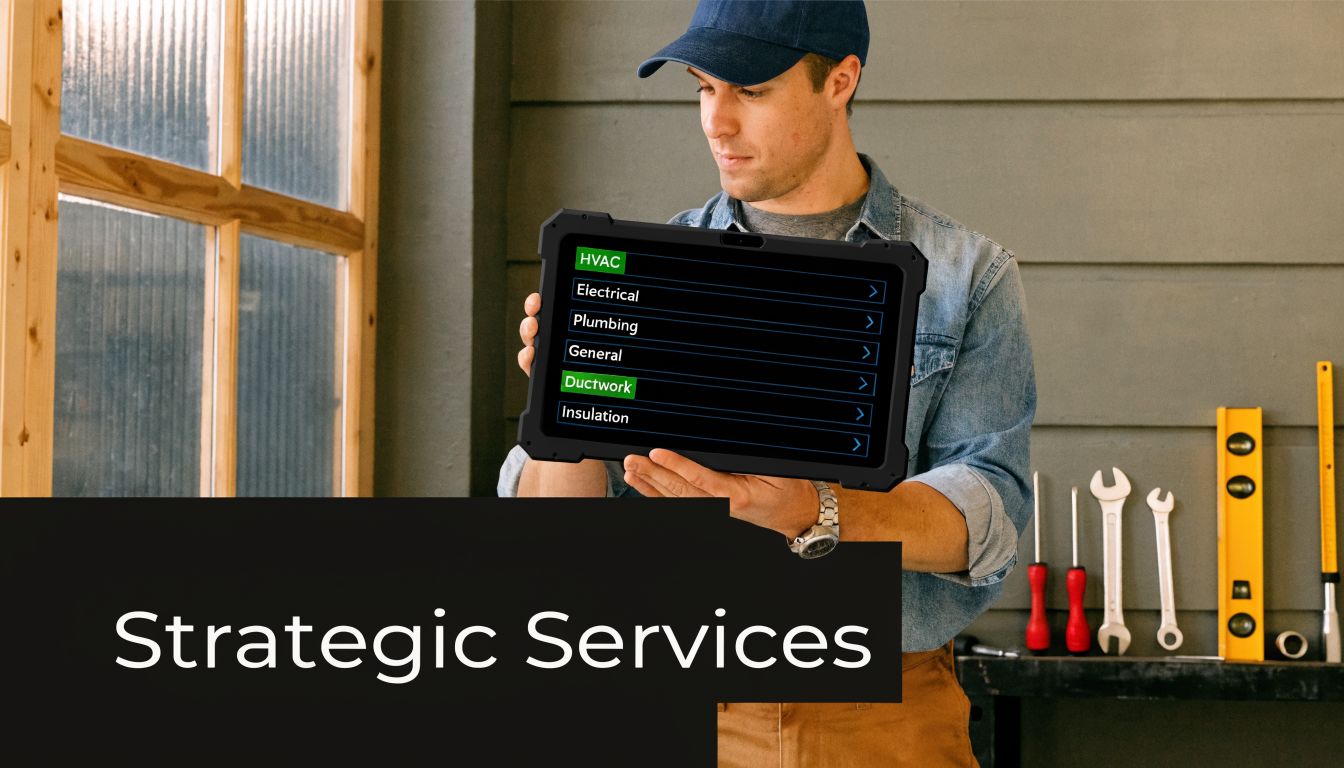
Pick a primary category that matches your best revenue
Your primary category carries a lot of weight in how Google understands your company. It also shapes how a homeowner reads your profile. For a remodeler chasing $75K to $300K residential projects, the goal is not maximum reach. The goal is to show up for searches that signal budget, scope, and intent.
If kitchens drive your strongest margins, lead with Kitchen Remodeler. If you win high-end bath projects, Bathroom Remodeler may fit better. If your company is built around major renovations and additions, General Contractor can still work, but only if the rest of the profile makes the project type clear.
I usually tell contractors to choose the category they want their estimator seeing on the calendar six months from now, not the category that describes every job they could technically take.
Here is the practical difference:
- General Contractor often pulls in broader search traffic
- Kitchen Remodeler signals focused remodeling intent
- Bathroom Remodeler can attract higher-intent renovation searches
- Deck Builder, Roofing Contractor, and similar categories belong to separate service lines, not a luxury remodeling profile unless those are true profit centers
A broad category can increase visibility and still hurt lead quality. That is the trade-off.
Build a services list that qualifies prospects
Your services section works like a pre-qualification sheet. Homeowners read it. Google reads it. Your office feels the result when the calls come in.
A weak services list usually happens when someone adds every task the company has ever billed for. That creates the wrong picture. A homeowner with a full-home remodel budget does not want a company that looks centered on repair work. Google also has a harder time matching you to premium project searches if your service menu looks scattered.
A stronger list stays close to the projects you want in your pipeline:
- Kitchen remodeling: layout changes, custom cabinetry, island additions, structural opening work, finish upgrades
- Bathroom remodeling: primary bath renovations, walk-in showers, custom vanities, tile systems
- Home additions: second-story additions, rear additions, in-law suites, attached living space expansions
- Whole-home remodeling: multi-room renovations, structural reconfiguration, design-build remodeling
That list does two jobs at once. It tells Google what lane you belong in, and it tells homeowners you are set up for serious residential work.
If video helps you show process and project type more clearly, use some of these video content ideas for attracting remodeling clients to support the same services on your profile and website.
Use a profit filter, not a completeness filter
Contractors get into trouble here because they treat the profile like a master service catalog. It is a sales tool. Sales tools need focus.
Use this filter before adding any category or service:
| Question | If yes | If no |
|---|---|---|
| Is this service profitable at your target project size? | Keep it visible | Leave it out or reduce emphasis |
| Do you want more of this work in the next 12 months? | Add it clearly | Do not feature it |
| Does it fit the homes, budgets, and neighborhoods you want? | Make it part of the profile | Do not let it shape your positioning |
| Can you back it up with strong project photos and sales process? | Promote it | Wait until you can prove it |
That last point matters more than contractors expect. If you list whole-home remodeling but only have photos of small punch-list work, the profile creates friction instead of trust.
Avoid category drift
Profiles often get diluted over time. An owner adds one low-margin service to fill a slow month. Then another. Six months later, the business wants additions and major remodels, but the profile reads like a handyman company with a nicer logo.
Keep the profile aligned with the work you want feeding into your CRM. If your sales team has a qualification process, your Google Business Profile should support it. The cleaner your categories and services are, the fewer dead-end inquiries your office has to sort through, and the better your odds of turning profile traffic into real consultations for high-value projects.
Building a Project Portfolio with Photos and Posts
Most contractors say they do quality work. Photos are where you prove it.
A homeowner comparing remodelers is looking for visual confidence. They want to see clean lines, good lighting, finished details, organized jobsites, and the type of homes you usually work in. If your profile has three dark photos from five years ago, it doesn’t matter how good your craftsmanship is in real life. Online, you look smaller than you are.
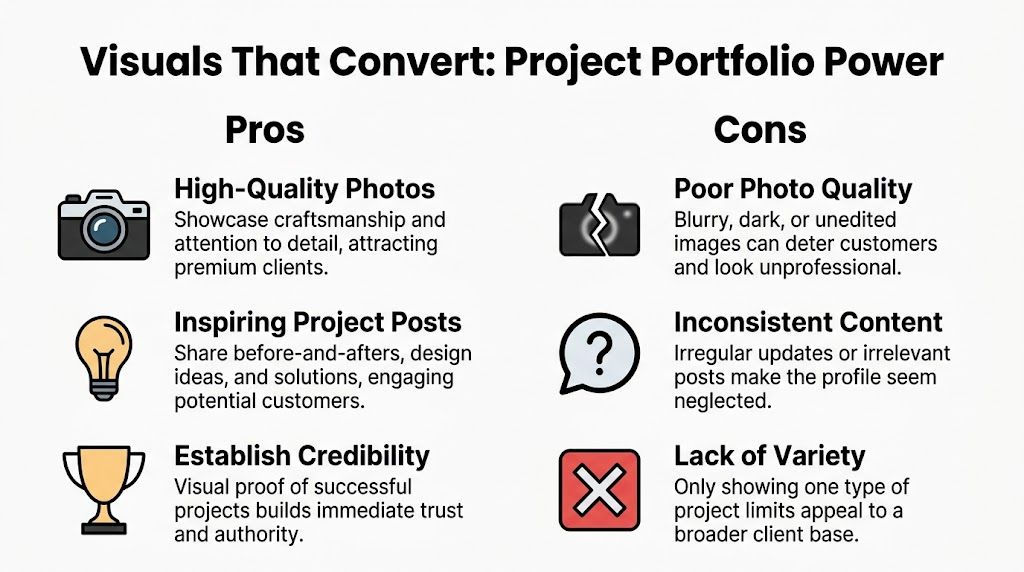
Build a showroom, not a scrapbook
Google rewards active profiles with useful media. In the earlier cited contractor SEO guidance, contractors are advised to upload at least 50 high-resolution project photos and publish weekly Google Posts, which can lift engagement by 15–25%.
That doesn’t mean dumping fifty random camera-roll images into the profile.
It means building a visual story that helps a prospect think, “These are my people.”
A strong contractor photo set includes:
- Before shots: Show the starting point so homeowners can see the transformation
- In-progress photos: Framing, prep, waterproofing, layout work, and finish stages
- After photos: Bright, clean, professional final images
- Detail photos: Tile lines, built-ins, trim work, hardware, stone, lighting
- Team photos: A few real shots of the people doing the work
- Exterior and signage: Useful if you want to reinforce brand legitimacy
What a good photo actually looks like
You don’t need a giant production every week. But you do need standards.
Use natural light when possible. Straighten the camera. Clean the room first. Hide buckets, cords, and trash. Shoot wide shots and close detail shots. If the image makes your work look sloppy, don’t upload it.
A lot of remodelers can also get more mileage by turning project photos into short videos. If you want ideas you can use, these video content ideas to attract remodeling clients fit well with the same project material you’re already collecting on jobs.
Use posts like mini jobsite updates
Google Posts are simple. Think of them as small updates on your Google profile.
Good post topics include:
- Project spotlight: Show one kitchen or bath and explain what changed
- Design choice education: Why a homeowner picked quartz over another top, or a curbless shower over a tub
- Process reassurance: Explain how you handle scheduling, selections, dust control, or communication
- Seasonal timing: Let people know when to book for upcoming project windows
A dead profile makes people wonder if you’re busy, disorganized, or gone. A profile with fresh project updates looks active and trusted.
Keep the content aimed at premium buyers
If you want better leads, your visuals need to match them. Show the kind of work you want more of.
If your best jobs are upscale kitchens and full primary baths, lead with those. Don’t bury them under small repairs, punch-list photos, or supplier snapshots. Your profile portfolio should act like a highlight reel for the work that moves your business forward.
Winning Trust with Reviews and Customer Q&A
Reviews are today’s word-of-mouth, but faster and more public.
A homeowner can look at your work, like your style, and still hesitate. Reviews are what calm that hesitation down. They answer the silent questions in the buyer’s head. Did this contractor communicate well? Did they finish strong? Did they handle problems like a pro? Would I trust them in my house for months?

Review volume matters, but response habits matter too
According to this review and Q&A guidance for contractors, contractor profiles with over 50 reviews rank 2.7 times higher in Google Maps, and replying to all reviews within 24 hours can improve rankings by an additional 10–15%.
That means two things.
First, asking for reviews should be part of your process, not something you remember once a month. Second, every review deserves a response, even the short positive ones.
A simple script for asking
Don’t overcomplicate the ask. Send it when the client is happy, close to the finish line, and still excited about the result.
Try this:
“Thanks again for trusting us with your project. Reviews really help homeowners feel comfortable choosing the right remodeler. If you’re open to it, would you mind sharing a quick Google review about your experience?”
Short. Human. No pressure.
You can send that by text or email. If you use a CRM, build it into your closeout workflow so it happens every time.
How to respond without sounding canned
Most contractors either ignore reviews or reply with “Thanks.” Both waste the opportunity.
A better response mentions the project and reinforces what future homeowners care about.
For a positive review
- Thank them by name if appropriate
- Mention the type of project
- Reinforce a trust factor like communication, craftsmanship, or timeline care
Example:
“Thanks for the kind words. We loved helping with your primary bathroom remodel and are glad the communication and finish details stood out to you.”
For a negative review
- Stay calm
- Acknowledge the concern
- Move the conversation offline
- Don’t argue in public
Example:
“We’re sorry to hear this and appreciate the feedback. We take concerns seriously and would like to talk directly so we can understand what happened and work toward a resolution.”
You’re not writing only for the reviewer. You’re writing for every future homeowner reading the exchange.
A useful companion read on this topic is whether Google reviews help SEO, especially if you want the ranking side explained in plain English.
Use Q&A like a pre-sales tool
The Q&A area is often neglected. That’s a miss.
Add and answer common homeowner questions yourself so the profile does some of the sales work before your phone rings. Good questions include:
| Question | Why it helps |
|---|---|
| Do you handle design-build projects? | Filters for the right fit |
| What areas do you serve? | Reduces out-of-area calls |
| What kinds of remodels do you specialize in? | Reinforces positioning |
| How do you handle estimates and consultation calls? | Sets expectations |
| Do you work on occupied homes? | Answers a common concern |
A good Q&A section saves your office time and gives serious buyers confidence before first contact.
Connecting Your Profile to Your Sales System
A dialed-in profile gets attention. A real system turns that attention into booked appointments and signed jobs.
Many contractors often hit a wall: they do enough work to get the phone to ring, then they miss calls, forget follow-up, lose track of which leads came from Google, or let the office scramble with sticky notes and texts.
Track where the lead came from
Your Google Business Profile shouldn’t be a black box.
Use tracking links on your website button inside the profile so you know when someone visited from Google Business Profile instead of another channel. The simple version is this: the link has a little label attached to it, like a sticker on a file folder, so your reporting can say, “This visitor came from your profile.”
That matters because you can finally answer basic business questions:
- Are profile visitors filling out forms?
- Are they viewing your kitchen or bath pages?
- Are they bouncing because the site doesn’t match the profile?
- Is Google Maps sending better leads than paid ads or referrals?
Connect the profile to your CRM
At this stage, the phone stops leaking money.
The verified contractor review guidance noted earlier also states that connecting your profile to a CRM for tools like missed-call text-back can recover 15–20% of leads that otherwise would have been lost. For a busy remodeling company, that’s practical, not theoretical. You’re on a site visit, in a supplier meeting, or with your production manager. The call comes in. You miss it. A text goes out fast and keeps the conversation alive.
A CRM can also help with:
- Lead capture: One place for calls, forms, and messages
- Follow-up: Automatic texts or emails after inquiries
- Review requests: Sent at closeout without someone remembering manually
- Pipeline visibility: See where every opportunity sits
If you’re comparing tools, this overview of lead generation software is a reasonable starting point for understanding what these systems usually handle.
Build one connected process
The strongest setup is simple.
Your profile gets found. The homeowner clicks or calls. The CRM catches the lead. Your team follows up fast. Reviews are requested at the right time. Reporting shows what’s working.
One option contractors use for this kind of connected setup is Constructo Marketing, which combines local SEO work with a GoHighLevel CRM layer for lead tracking, follow-up automation, and missed-call text-back. That kind of system thinking matters more than chasing isolated tactics.
If your Google profile is working but your response process is loose, you don’t have a lead problem. You have a handoff problem.
If you want help turning your Google Business Profile into a real lead source for larger residential projects, Constructo Marketing focuses on remodelers who need more than a listing tune-up. The work is about building a connected local lead system that helps you show up, earn trust, and keep good opportunities from slipping through the cracks.